
.svg)
.svg)

The best content is a gateway to a whole world of information. Writing a hiking guide? Convince readers to stay on the trail with a shocking statistic about lost backpackers. Or maybe there’s a hilarious video about people wrestling to set up a tent in the wind (it’s harder than it looks). Anchor text lets you share this bonus content without distracting from your main message.
What is anchor text? It’s those familiar, usually blue, clickable words that take you to a different webpage. For example, you might turn the word “REI” into anchor text that links to the company’s website.
Thoughtful anchor text is a key part of search engine optimization (SEO). But get too link-happy and you’ll just clutter your content or send readers wandering through cyberspace. This guide unpacks the types of anchor text and how you can use them to step up your SEO game.
How Anchor Texts Impact SEO Performance
What is anchor text in SEO? It’s one of many ranking factors — like content quality and page speed — used by search engines. Google doesn’t share its exact formula, but it does say anchor text matters.
Here’s how anchor text helps:
- Linking to quality sources gives your content more authority. If you’re writing about the best cat food, external links to peer-reviewed studies help you back your claims with evidence.
- Keyword-rich anchor texts increase the chances that search engines will recommend your content for relevant searches. If a mechanic’s website links the phrase “DIY oil change” to one of its blog posts, that’s helpful context for the algorithm.
- It improves search visibility by helping search algorithms understand what your content is all about.
- Visitors can move around your site more easily, creating a better user experience. Someone might hop from a blog post about chicken parmesan to a product page for an Italian pot, then back to the blog for your nonna’s bread-making tips — all without touching the search bar.
Key Elements That Make Up Anchor Text
Anchor text is the visible, easy-to-click text that links you to other websites.
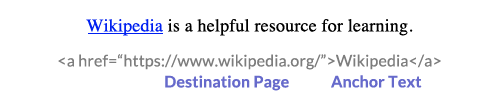
In HTML, both the URL (the link to the destination page) and the anchor text go inside the <a> tag. But most platforms have a no-code option: Just highlight the anchor text and click CTRL + K to add a link.
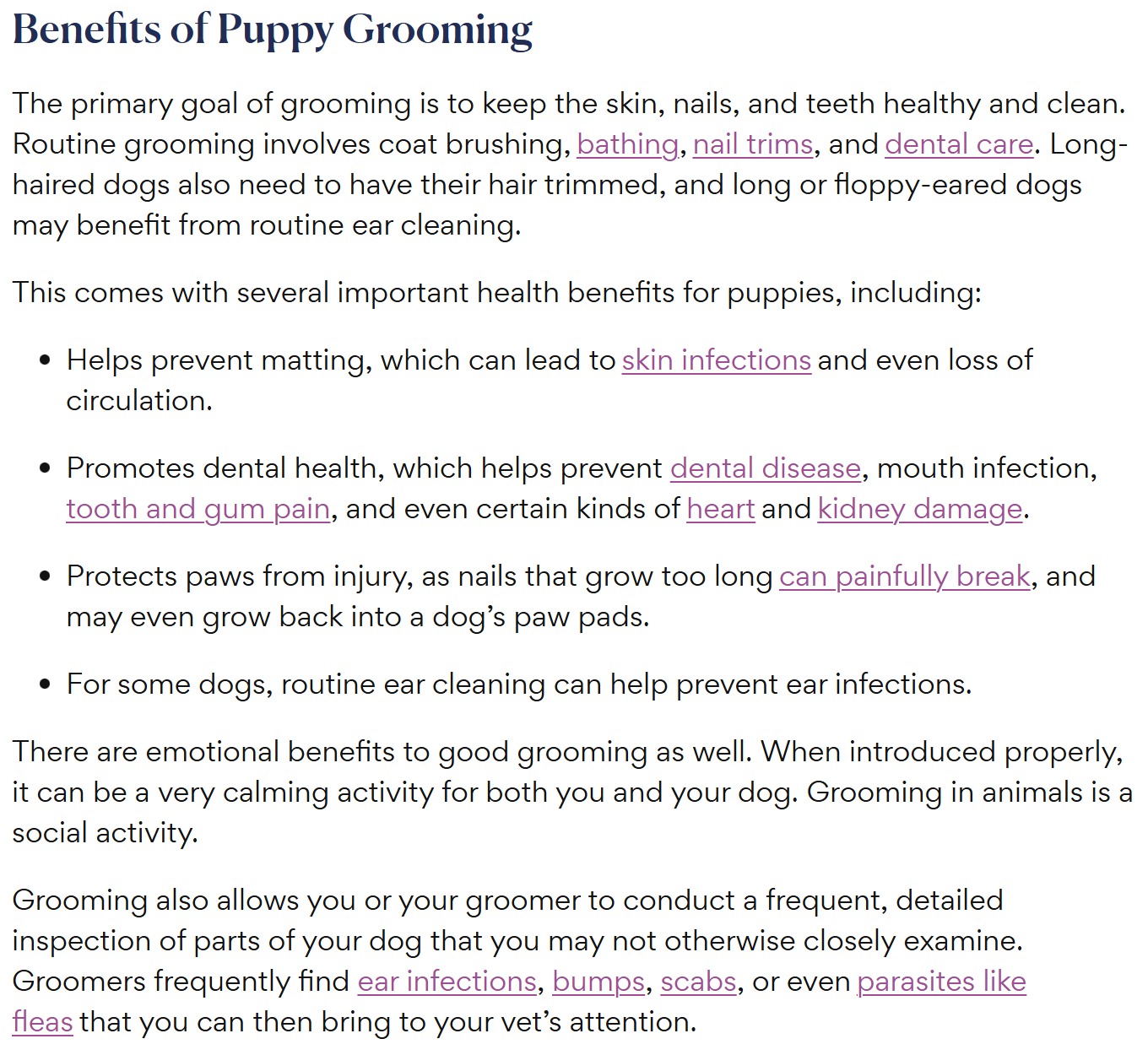
Creators often put anchor text links in blog posts, white papers, and other internal content. In this PetMD article about puppy grooming, all the anchor text leads to other PetMD content.
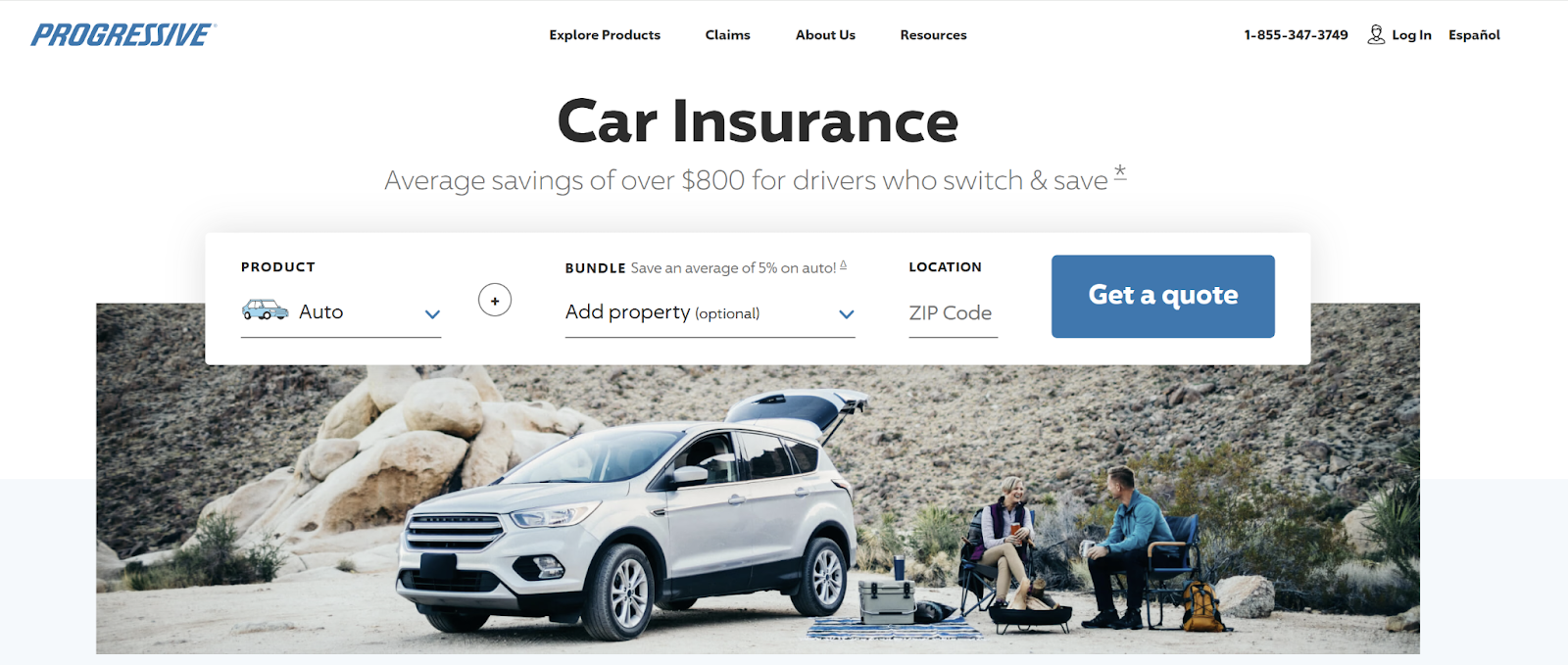
Call-to-action (CTA) buttons typically use internal links, too. After all, you want customers to do something on your site, not send them away. This Progressive CTA — “Get a quote” — is a classic example.
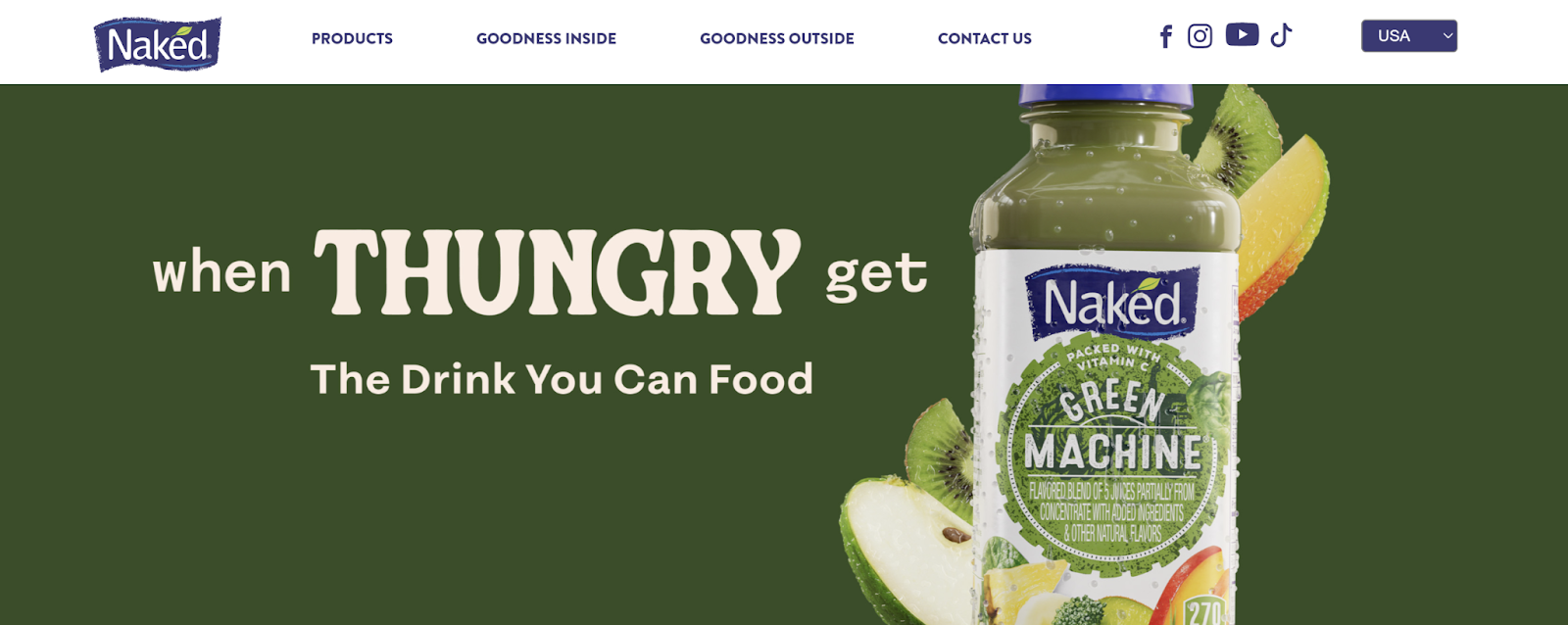
Menus are also filled with anchor text, like on the Naked Juice homepage.
Types of Anchor Text You Should Know
Not all anchor text is equally helpful for on page SEO. In fact, some kinds might lead to search engine penalties — hello, page 17 of the search results — instead of making your content easier to find. Here are some of the most common types and when (or if) you should use them.
Exact Match Anchor Text
This kind of anchor text exactly matches the destination page’s target keyword. For example, you might link to this Bootspy blog with the anchor text “clean leather boots.”
Exact match anchor text is fine when used sparingly — say, once or twice per page — but don’t go overboard. Too many will make it seem like you’re trying to trick the algorithm. Plus, it just looks awkward, especially if you’re linking a lot of long-tail keywords like “how can I clean leather shoes.”
Partial Match Anchor Text
Partial matches combine keywords with other content, which helps you avoid repeating the same phrase 10 times. If, for example, the primary keyword of a web page is "what is a text anchor," a good partial-match anchor text might be "what does anchor text mean?"
Branded Anchor Text
A branded link is just an organization or product’s name, like “SniffSpot” or “University of Tampa.” You don’t need to pull any language acrobatics to fit these natural anchors into sentences, and they build brand recognition.
Generic Anchor Text
You’ve probably seen sites use generic phrases like “Buy now” and “Contact Us.” You don’t know where you’re going when you click them (“buy what?”), which is a big red flag. Plus, search engines may treat a generic anchor as spam, lowering your ranking.
Naked URLs and Image Anchor Text
A naked URL is a raw link, such as: https://www.compose.ly/. These links aren’t necessarily bad for SEO, but they’re a missed opportunity to use keywords. Plus, they look a little… well, sloppy.
Another common mistake is linking to an image instead of text. This is less obvious than other types of links, so users might miss it entirely. And again, no keywords is a major SEO don’t.
Common Anchor Text Mistakes To Avoid
While anchor text is an essential part of any SEO and content strategy, it’s not always intuitive. Steer clear of these blunders:
- Repeating anchor text: Don’t use the same phrase again and again, especially if it leads to different pages every time. That’s just confusing. Instead, use anchor text variations, such as “dog toys” and “squeaky toys.”
- Linking random words: Context is everything, so use relevant anchors. If you link something vague such as “here,” they’ll probably just skip it.
- Deceiving readers: Ever clicked a link that said “free download,” only to be greeted by a paywall? Goodbye, trust.
Best Practices for Natural and Effective Anchor Text
Okay, now that you know the “don’ts,” here are a few “dos” to add to your toolkit:
- Keep it concise — three to five words, max.
- Use different anchor text types — a branded anchor here, a partial match there — to keep things fresh.
- Limit yourself to one or two anchor links per paragraph. Otherwise, readers might be too distracted to get through your content.
- Only link to reputable sources. A university website? Great. An anonymous blog from 2009? Skip it.
How Anchor Text Fits Into Internal Linking Strategy
Use anchor text to create a network of relevant content on your site. For example, you might develop a cluster of interlinked blogs about growing roses, encouraging readers to stay on your site longer.
External Links and Anchor Text: What You Can (and Can’t) Control
Other sites might backlink to your content, especially if it’s well-researched or shares original experiences. These links can improve your site’s authority — after all, other people clearly trust you— but it depends on the linking site's credibility.
Obviously, you can’t bribe someone into linking to your site or deleting a backlink. Just focus on creating great content, and the backlinks will follow naturally. And if you notice too many suspicious sites backlinking your content, you can use Google Search Console’s “disavow links” feature to remove them.
Using Tools To Analyze and Optimize Anchor Text
Managing anchor text manually can take a ton of time, especially if you have a sprawling site. Here are a few tools to make your job easier:
- Ahrefs for keyword research
- Semrush for backlink analytics
- Screaming Frog to audit internal links
Use these platforms to make sure your anchor text uses the best keywords and only uses working links.
Ready To Improve Your Anchor Text Strategy?
Anchor text is a simple way to make your content more algorithm-friendly while giving your visitors more value. You’re almost certainly already referencing other content when you write, so take a few extra seconds to link it.
Need an anchor text expert? Get in touch with Compose.ly’s SEO professionals for quality content made using all the latest SEO practices.


